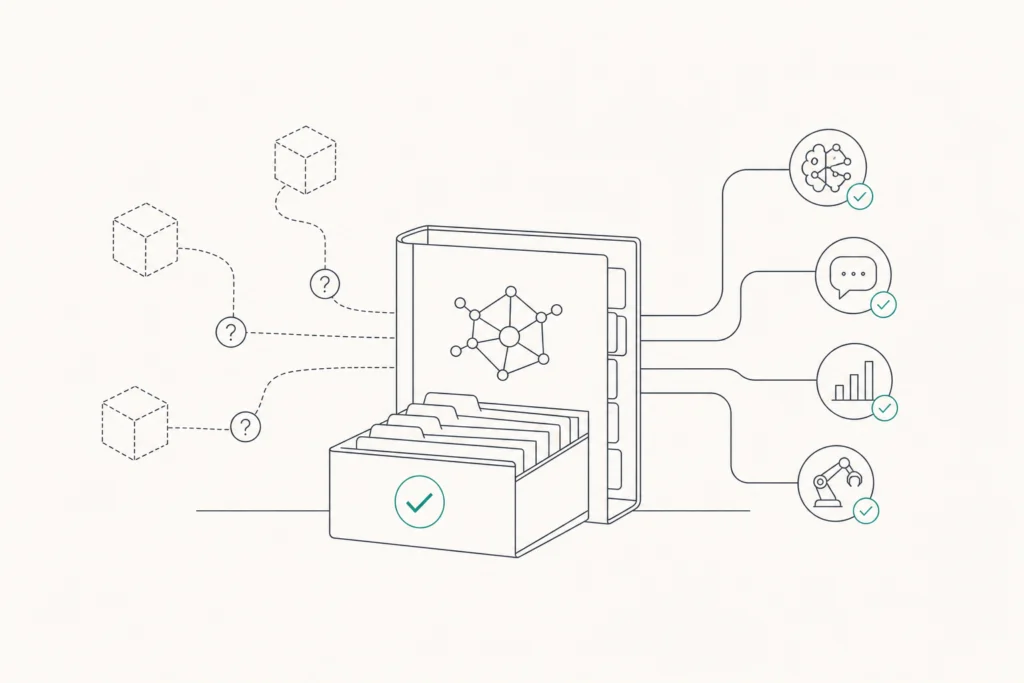
An AI registry is a central, living record of every AI system an organization builds or uses, with its owner, purpose, risk tier, data lineage and version history. It supports model accountability by naming who answers for each system, exposing unlisted shadow AI, and giving auditors evidence to review.
AI adoption is moving faster than the governance around it. A 2024 McKinsey survey indicated that 72% of companies have implemented AI in at least one area of their business. Many of those systems were never written down anywhere, and the ones nobody has listed are the ones nobody answers for. This guide walks you through building a registry step by step, from the first fields you record to keeping the record current.
What is an AI registry, and how is it different from a model registry?
An AI registry is the organization-wide record of every AI system in use, whether you built it, bought it, or an employee started using it on their own. It answers governance questions: what is this system, who owns it, what is it for, how risky is it, and what data does it touch.
A model registry is narrower and more technical. Machine learning teams use it to store trained model artifacts, track versions, and promote a model from staging to production. It tells engineers which file to deploy. It does not usually say who in the business is accountable for the model's decisions, or whether the use case was ever approved.
An AI agent registry is a third, more specific record. It covers autonomous agents that call tools, reach data sources, and act without a person approving each step. For an agent, the registry has to capture more than the model: which tools the agent can call, which data it can reach, and which other agents it talks to.
The scope you pick sets the work ahead of you. A good AI registry sits above both of the others. It can link out to the model registry for technical artifacts and to an agent registry for tool access, while holding the ownership and risk information that neither tracks on its own. Keep only a model registry and you have a deployment record. Keep an AI registry and you have an accountability record.
How does an AI registry support model accountability?
An AI registry supports model accountability by making sure every system has a named owner, a documented purpose, and a place in the inventory, so no system runs without someone answering for it.
Without that record, accountability fails quietly. The 2025 IBM Cost of a Data Breach Report revealed that 1 in 5 organizations has suffered a security breach due to "shadow AI" systems that were not officially inventoried. Gartner projects that upwards of 40% of companies will encounter compliance or security issues stemming from unauthorized shadow AI by 2030. Vendors report both figures, citing the underlying research, so read them as signs of direction rather than exact counts.
Agents raise the stakes. Gartner projects the typical Fortune Global 500 firm will use over 150,000 AI agents by 2028. A survey cited by Aembit found that just 13% of organizations feel their current AI agent governance is sufficient. You cannot govern what you have not counted.
A registry does four things for accountability:
- Names an owner. Each entry points to a person or team who answers for the system's behavior.
- Exposes shadow AI. Anything running that is not in the registry becomes visible as a gap, which you can then investigate.
- Records the decision trail. Purpose, risk tier, and version history show why a system was approved and what changed since.
- Gives auditors evidence. Reviewers can check a documented record instead of relying on interviews and memory.
A registry is a governance record, not a runtime control. Listing an agent does not stop it from acting. It tells you what exists and who owns it, so the controls you apply elsewhere have something to attach to.
Step 1: Decide the mandatory fields for each registry entry
Start by deciding what every entry must contain before anything gets added. A registry with optional fields fills up with gaps, and the gaps land exactly where risk is highest.
Keep the required set short enough that people will complete it. For each system, require at minimum:
- Owner. A named person or team accountable for the system, not a department alias nobody monitors.
- Use case. What the system is for, in a sentence a non-engineer can follow.
- Risk tier. A level such as low, medium or high, set by a rule you write down once (for example, higher when the system touches personal data or influences decisions about people).
- Data sources. What data the system reads or was trained on, so lineage has a starting point.
You can add fields later for version, vendor, deployment location, and review date. Start with the four above and make them non-negotiable.
Then decide who owns the registry itself. The registry needs one accountable steward, often someone in risk, compliance, or a central data and AI governance function, with engineering supplying the technical detail. Splitting ownership across several teams is how registries go stale. Whoever you choose should have the authority to chase down missing entries and to flag systems that lack an owner.
Steps 2 and 3: Inventory what is already running and gate new deployments
Step 2 is a retrospective inventory of every AI system currently in production. Step 3 is a rule that no new model deploys without a registry entry. Together they close the gap that lets shadow AI grow: the first catches what already exists, the second stops the gap from reopening.
For the inventory, don't rely on memory. Ask each department what AI tools it uses, check procurement and expense records for AI subscriptions, and ask engineering for every model serving traffic. Include vendor-embedded AI features in tools your teams already pay for. The 2025 IBM Cost of a Data Breach Report found that 1 in 5 organizations has had a breach tied to shadow AI that was never inventoried, so treat anything you cannot account for as a finding to follow up, not a rounding error.
For the gate, put the registry entry into the existing release or procurement checklist. A deployment request is incomplete until the four mandatory fields are filled in. Making the entry a precondition is easier than auditing for missing ones later.
Scope the work to your size:
- Small and mid-sized businesses: A short list of the AI tools and models in use is enough to start. Cover customer-facing and data-touching systems first, then widen.
- Large enterprises: Split the inventory by business unit, name an owner for each, and consolidate into one view. Run discovery across clouds and teams, since no single group will know everything.
Steps 4 and 5: Track lineage and version history for every system
Steps 4 and 5 make each entry traceable over time. Link every model version to its specific training data and code, then use version control to document updates and changelogs, so any decision can be tied to the exact version that produced it.
For lineage, record which datasets, code commits, and configurations went into each version. In practice that means the registry entry holds identifiers or links, not copies. It points to the training data source, the code repository and commit, and the model artifact. When a regulator, customer, or internal reviewer questions an output, you can follow the chain backward instead of reconstructing it from memory.
For version history, treat every change as a recorded event. Retraining, a prompt change, a new data source, or a swapped base model each gets a changelog line with the date, the author, and the reason. Keep the changelog in version control so edits are timestamped and cannot be quietly rewritten.
This matters most when something goes wrong. If an output caused harm last month, you need to know which version was live then, not which one is live today. A registry that only stores the latest state cannot answer that.
Decide in advance which changes trigger a fresh review. A change in data source or intended use should send the entry back to the owner and the risk tier should be re-checked, while a minor patch may only need a log entry.
How does an AI registry support auditability under the EU AI Act, NIST AI RMF and ISO 42001?
An AI registry supports auditability by holding the documented evidence that governance frameworks ask organizations to produce: what systems exist, who owns them, how risky they are, and how they changed. The EU AI Act, the NIST AI RMF, and ISO 42001 each expect an organization to know and document its AI systems, and the registry is where that record lives.
The table maps each registry field to the audit question it helps answer. The frameworks differ in scope and legal weight, so confirm the specific requirements with counsel or your compliance team before you treat a registry as proof of compliance.
| Registry field | Audit question it answers |
|---|---|
| Owner | Who is accountable for this system's behavior? |
| Use case | What is this system meant to do, and was that use approved? |
| Risk tier | How was the risk assessed, and what oversight does that level require? |
| Data sources and lineage | What data was used, and where did it come from? |
| Version history | What changed, when, and who approved it? |
| Review date | Is this record current, or has it gone stale? |
Auditors rarely ask for the registry itself. They ask for evidence, and a complete registry lets you answer in minutes: you pull the entry, show the owner, the risk decision, and the change log. Gaps in the registry become gaps in your audit answers, which is why the mandatory fields from Step 1 matter.
Step 6: Connect the registry to workflows and know when an automated platform fits
Step 6 is to embed the registry in the workflows where decisions already happen: approvals, monitoring, and incident response. Approvals should read the registry before a system goes live. Monitoring should compare what is running against what is listed. Incident response should open an entry first, to find the owner and the exact version involved. A record nobody consults goes stale within a quarter.
A spreadsheet can serve as a starting registry, especially if you run only a handful of systems. But it depends on people updating it by hand, so it misses anything nobody remembers to add. Automated discovery scans your environment and finds systems you did not know about, which matters most for autonomous agents. An AI agent registry has to track tool access, data reach, and agent-to-agent communication, and those change faster than a person can retype them. Move to automation when agent counts grow or the spreadsheet stops matching reality.
Trust3 AI is an AI agent security platform that discovers every agent running across your environment, observes each prompt, tool call, and decision, and enforces purpose-based access controls on the data and tools agents can reach. It covers MCP servers, A2A communication, APIs, and underlying data sources, and it is vendor-neutral and multi-cloud. See how AI agent discovery feeds a registry. Pricing requires contacting the sales team.
Keep the roles separate. The registry records who owns each system and why it exists; a security platform acts on what agents do.
FAQs
What is the difference between an agent registry and a model registry?
A model registry stores trained model artifacts and versions so engineers know what to deploy. An AI agent registry records autonomous agents, including the tools they can call, the data they can reach, and the other agents they talk to. Many organizations need both, linked to an AI registry that holds ownership and risk information for each.
Who should own the AI registry within an organization?
Give it one accountable steward, often in risk, compliance, or a central data and AI governance function. Engineering supplies technical detail, and each entry has its own system owner. Splitting registry ownership across several teams is a common reason registries go stale, because no one is responsible for chasing missing entries.
How does an AI registry support auditability under the EU AI Act?
The registry holds documented evidence of what AI systems exist, who owns them, how risky they are, and how they changed. Auditors can review that record instead of relying on interviews. Requirements vary by system and use, so confirm specifics with your compliance team or counsel.
Do small and mid-sized businesses need an AI registry?
Yes, at a smaller scale. A short list of the AI tools and models in use, with an owner, purpose, and risk level for each, is enough to start. Shadow AI is a risk at any size, and a small inventory is far easier to build now than to reconstruct after an incident.
Can a spreadsheet work as an AI registry?
For a small number of systems, yes. A spreadsheet works if every entry has the mandatory fields and someone owns keeping it current. It struggles as systems multiply, and it cannot discover agents nobody reported. Many teams start there and move to automated discovery later.
How often should registry entries be reviewed and updated?
Review each entry on a set schedule that matches its risk tier, with higher-risk systems reviewed more often. Also trigger a review whenever the data source, intended use, or model version changes. A review date field in each entry keeps stale records visible.
Conclusion
An AI registry supports model accountability by giving every AI system a named owner, a documented purpose, a risk tier, and a traceable history. Built in steps and tied into approvals and incident response, it exposes shadow AI and gives auditors something concrete to review.
Start this week with the four mandatory fields and a first inventory of what is already running. Then add a rule that no new system deploys without an entry.
Related Articles